Combined Footing |
  
|
Combined Footing |
|
This module provides analysis of a rectangular footing with two applied axial, moment and shear loads. Overburden loads can also be specified, and will apply to the surface area of the footing (except the areas covered by the two piers). The module allows you to position the application of the pier loads as necessary, and provides automatic calculation of allowable soil bearing pressure increases based on footing dimensions and/or depth below surface.
The module checks service load soil pressure, overturning stability, sliding stability, uplift stability, flexure left and right of each pedestal, 1-way shear at 'd' from each of the pedestals, and punching shear along a perimeter located 'd/2' from the pedestal faces. The module does not evaluate the footing for flexure about the Length axis.
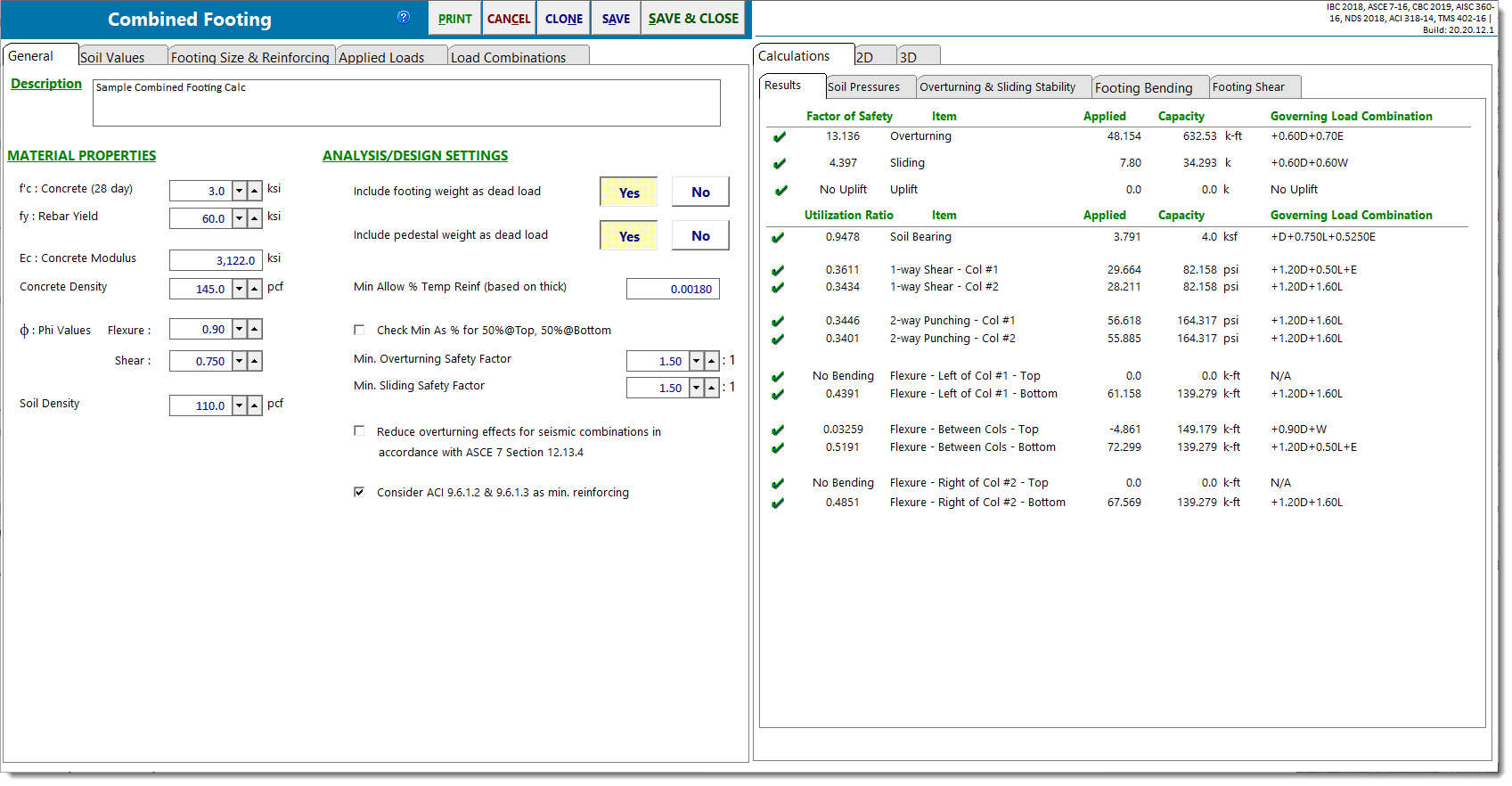
General
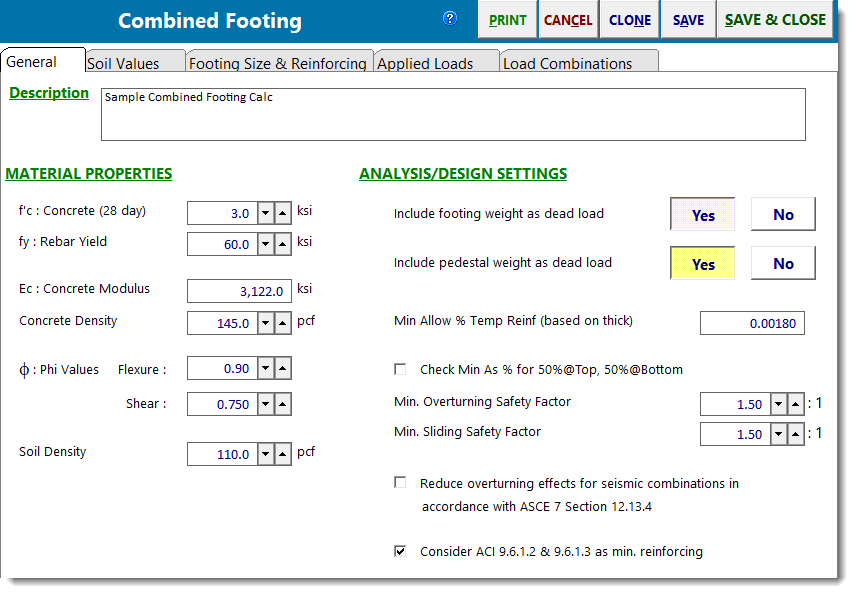
f'c
28-day compressive strength of the concrete.
fy
Yield point stress of reinforcing.
Ec
Modulus of elasticity of concrete.
Concrete Density
The density of the concrete is used to calculate the self weight of the pedestals and footing when those options are selected. Note that code modifications for lightweight concrete are not applied in this module. The purpose of this input is mainly to allow the user to specify something in the range of 145 to 150 pcf.
Phi Values
Enter the capacity reduction values to be applied to Vn and Mn.
Soil Density
Enter the density of soil in units of lb per cubic ft.
Include footing weight as dead load
Click [Yes] to have the module calculate the weight of the footing and apply it as a downward load. The footing self weight will be multiplied by the dead load factor in each load combination.
Include pedestal weight as dead load
Click [Yes] to have the module calculate the weight of the pedestals and apply it as downward loads. The pedestal self weight will be multiplied by the dead load factor in each load combination.
Min Steel Ratio - Temperature/Shrinkage
Enter the minimum ratio for temperature/shrinkage steel, calculated using the footing thickness. This will trigger a warning message if the section is under-reinforced.
Check Min As % for 50% Top and 50% Bottom
This is a convenience option to tell the program that a top and a bottom mat of reinforcing will be specified full length, so the minimum steel ratio entered above can be split, half on the top, half on the bottom.
Minimum Overturning Safety Factor
Enter the minimum allowable ratio of resisting moment to overturning moment. If the actual ratio is less than the specified minimum ratio, it will trigger a message that overturning stability is not satisfied.
Minimum Sliding Safety Factor
Enter the minimum allowable ratio of resisting force to sliding force. If the actual ratio is less than the specified minimum ratio, it will trigger a message that sliding stability is not satisfied.
Reduce overturning effects for seismic combinations in accordance with ASCE 7 Section 12.13.4
Select this option to apply the provisions of the referenced section of ASCE 7.
Consider ACI 9.6.1.2 & 9.6.1.3 as minimum reinforcing
Select this checkbox if you wish to have the module consider ACI 318 Sections 9.6.1.2 and 9.6.1.3 in the determination of minimum reinforcing.
Soil Values
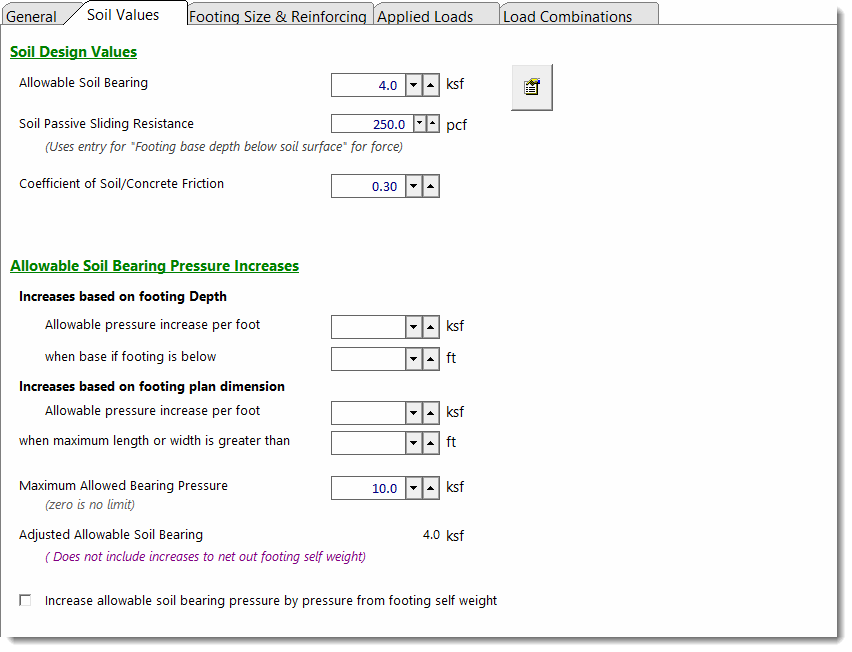
Allowable Soil Bearing
Enter the allowable soil bearing pressure that the soil can resist. This is a service load resistance and will be compared to calculated service load soil pressures.
Soil Passive Sliding Resistance
Enter the value of passive soil pressure resistance to sliding. This value will be used to determine a component of sliding resistance that is generated by the passive pressure of the soil. The sliding resistance due to passive pressure is then added to the sliding resistance due to friction to determine the total resistance to sliding for each load combination.
Coefficient of Soil/Concrete Friction
Enter the coefficient of friction between soil and footing to use in sliding resistance calculations.
Soil Bearing Increase
This section allows you to specify some dimensions that, when exceeded, will automatically increase the allowable soil bearing pressure.
Increases based on footing depth: Provides a method to automatically apply increases to the basic allowable soil bearing pressure based on footing depth below some reference depth. Collects the following parameters:
Allowable pressure increase per foot: Specifies the amount that the basic allowable soil bearing pressure can be increased for each foot of depth below some reference depth.
When base of footing is below: Specifies the required depth in order to start realizing incremental increases in the allowable soil bearing pressure on the basis of footing depth.
Example: Assume the following: Basic Allowable Soil Bearing Pressure = 3 ksf. Footing base is 6'-0" below soil surface. The Geotechnical report specifies that a 0.15 ksf increase in bearing pressure is allowed for each foot of depth when the base is deeper than 4' below top of soil. Since you've indicated that the footing is 6' below the soil surface, the module will automatically calculate the adjusted allowable soil bearing pressure to be 3 ksf + (6' - 4') * 0.15 ksf = 3.30 ksf.
Increases based on footing plan dimension: Provides a method to automatically apply increases to the basic allowable soil bearing pressure based on footing dimensions greater than some reference dimension. Collects the following parameters:
Allowable pressure increase per foot: Specifies the amount that the basic allowable soil bearing pressure can be increased for each foot of width or length greater than some reference dimension.
When maximum length or width is greater than: Specifies the required dimension in order to start realizing incremental increases in the allowable soil bearing pressure on the basis of footing dimension.
Example: Assume the following: Basic Allowable Soil Bearing Pressure = 3 ksf. Footing measures 12'-0" x 6'-0". The Geotechnical report specifies that a 0.15 ksf increase in soil bearing pressure is allowed for each foot when the largest plan dimension of the footing is greater than 4'. The module will automatically calculate the adjusted allowable soil bearing pressure to be 3 ksf + (12' - 4') * 0.15 ksf = 4.2 ksf.
Maximum Allowed Bearing Pressure: Provides a way to specify an upper limit on the adjusted allowable bearing pressure.
Note: Increases based on footing depth and plan dimensions are cumulative.
Increase Bearing by Footing Weight
Click [Yes] to tell the module to calculate the weight of one square foot (plan view) of footing and add it to the allowable soil bearing value. This has the effect of not penalizing the soil for the self weight of the footing, and is useful for situations where the geotechnical engineering report provides allowable net bearing pressures.
Footing Size & Reinforcing
Dimensions tab
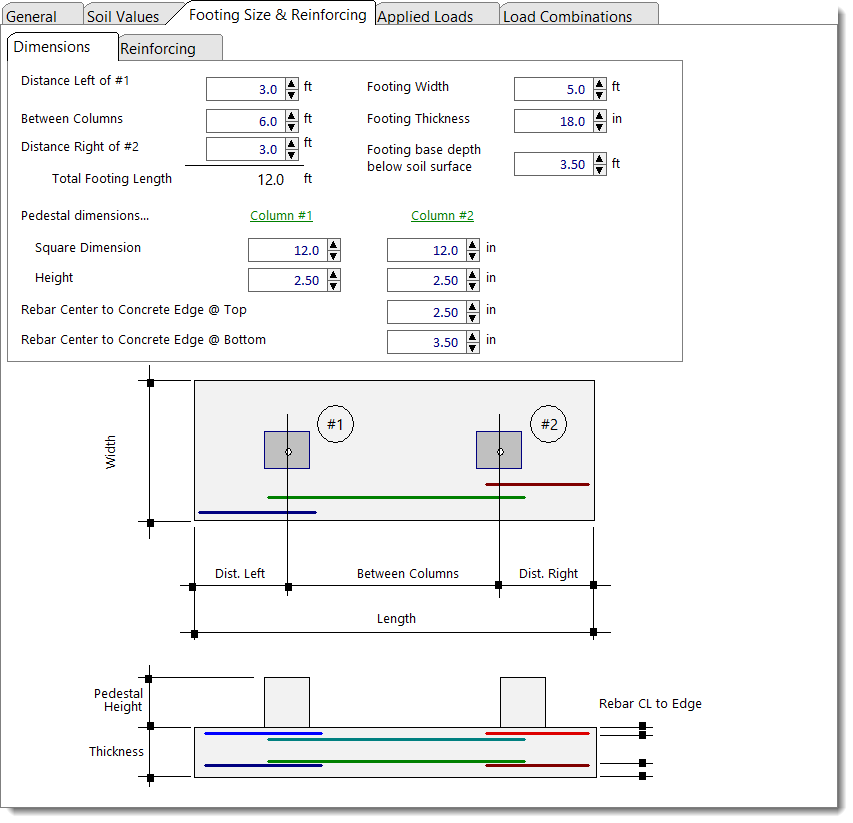
Projection on Left, Distance Between Columns, Projection on Right: Define the dimensions of the footing in the Length direction.
Footing Width: Define the dimension of the Width direction.
Footing Thickness: Define the total thickness of the footing.
Footing base depth below soil surface: The distance from the bottom of the footing to the top of the soil. This value is used to determine allowable soil bearing pressure increases and soil passive sliding resistance, but it is not used in any other calculations in this module.
Pedestal dimensions: If concrete pedestals bear on the footing, their dimensions can be specified here. Pedestals are assumed to be square, and they are assumed to be centered on the Width dimension of the footing.
Note: Any applied overburden loads will be omitted from the area occupied by the pedestals.
Reinforcing tab
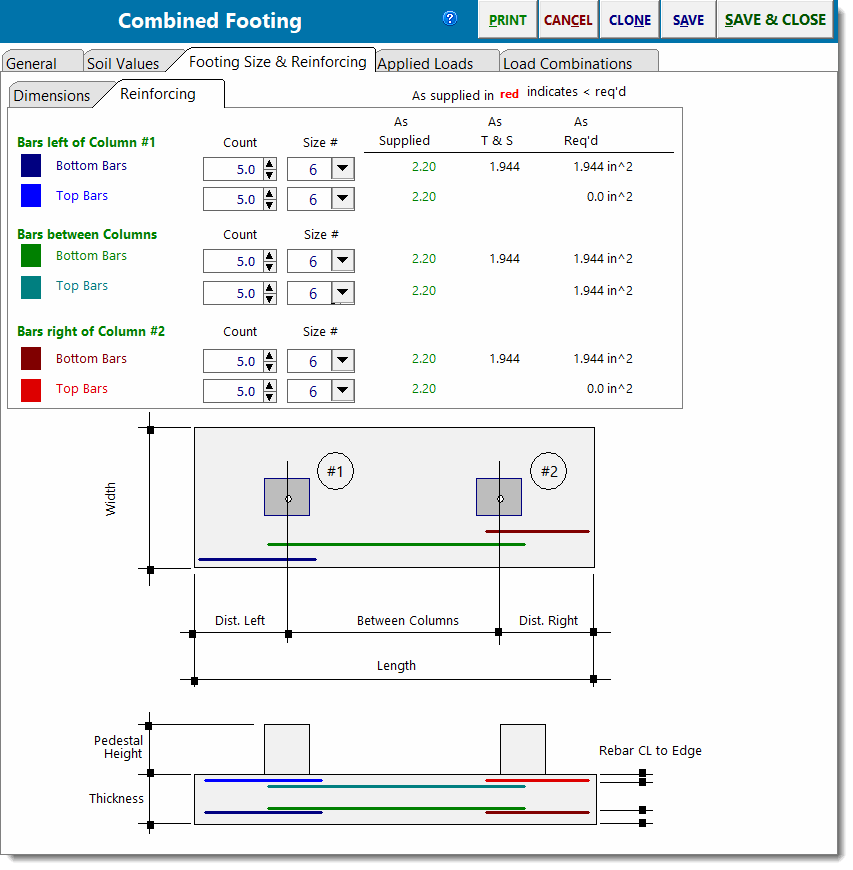
Reinforcing parallel to the Length dimension can be defined separately for the left and right projections of the footing and for the area between the columns. Input fields are provided to define top bars and bottom bars separately.
Note: Bars are assumed to be fully developed at the locations where they are required. It is the engineer's responsibility to validate that assumption. The program is not taking rebar development length into consideration.
Applied Loads
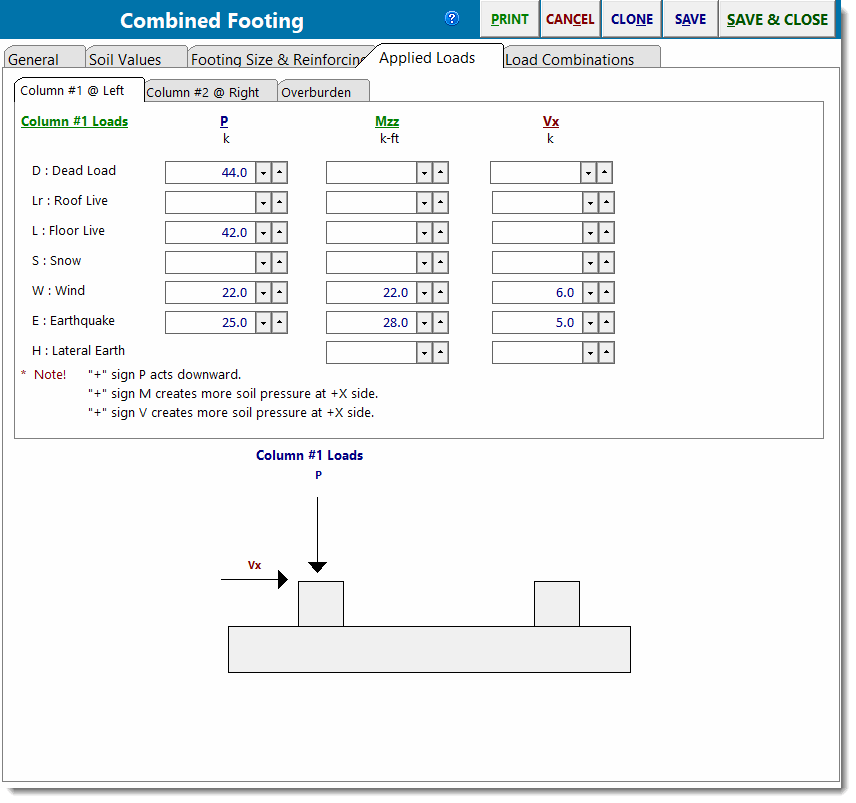
The Applied Loads tab provides sub-tabs for Column #1 (the column on the left), Column #2 (the column on the right), and Overburden. The two column load tabs offer input fields for vertical loads, moment about the Width axis, and shear in the Length direction. The Overburden tab provides input fields for a uniform vertical pressure that will be applied to the entire surface area of the footing with the exception of the areas occupied by the pedestals.
Load Combinations
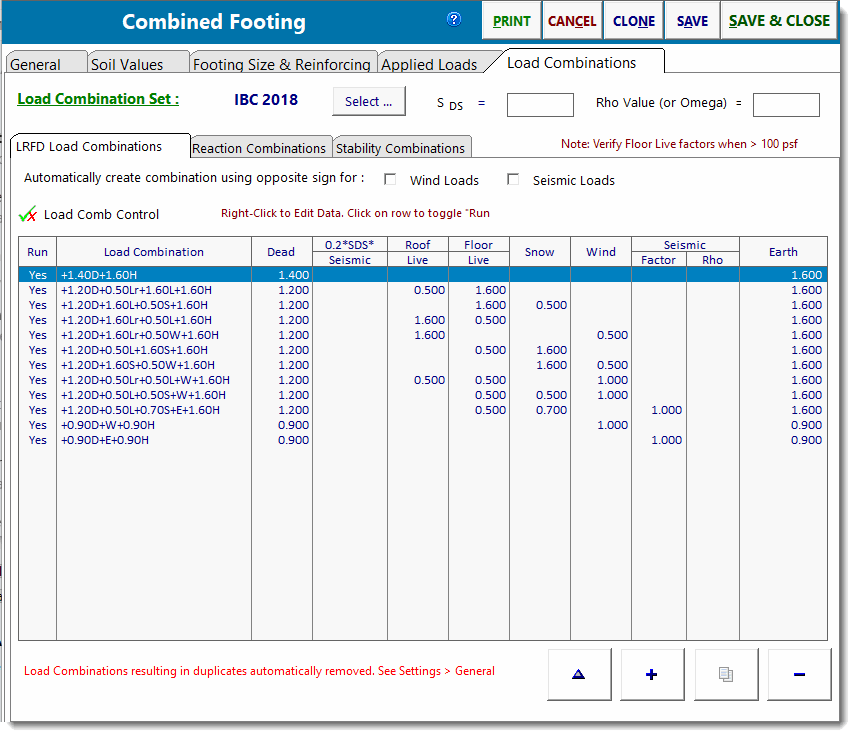
The Load Combinations tab is used to specify the load combinations to be used in the design. The Service Combinations tab controls the load combinations that are used to perform the serviceability checks for Soil Bearing, Overturning, Sliding, and Uplift. The Factored Combinations tab controls the load combinations that are used to perform the strength checks for Flexure, One-Way Shear, and Two-Way Punching Shear.
These tabs allow the user to select from load combination sets that are supplied with the program or to select from custom load combination sets that have been created and saved on the user's machine. It is also possible to unlock the selected load combination set and make edits to the factors directly in this view. The user has control over which combinations are run and which are ignored. A Soil Increase factor can be applied on a load combination by load combination basis, as permitted by the geotechnical engineering report.
Finally, this tab allows the user to specify whether the program should consider the algebraic sign of the specified load factors on wind loads and seismic loads to be reversible or not. This can be a convenient way to ensure that these loads are investigated as acting in both positive and negative directions, if that is the design intent. Note, however, that if selected, the algebraic sign reversal will be applied to ALL wind loads and/or ALL seismic loads including horizontally AND vertically applied loads.
Calculations
Results
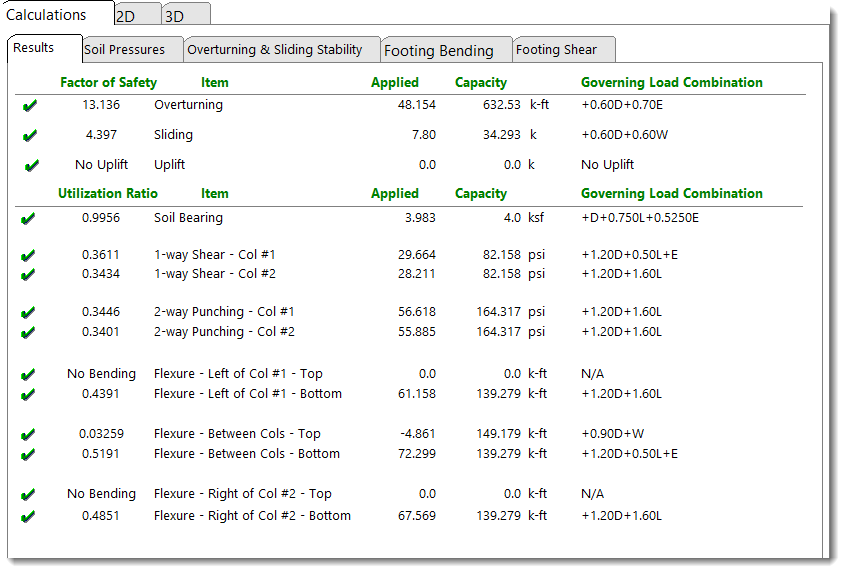
This tab summarizes the controlling values (highest utilization ratio) for each design consideration, from all of the load combinations that have been run. For the controlling load combination, it presents the Applied load, the Capacity or available resisting load, the ratio of the Applied to the Capacity, and the governing load combination that produces this controlling ratio.
Soil Pressures
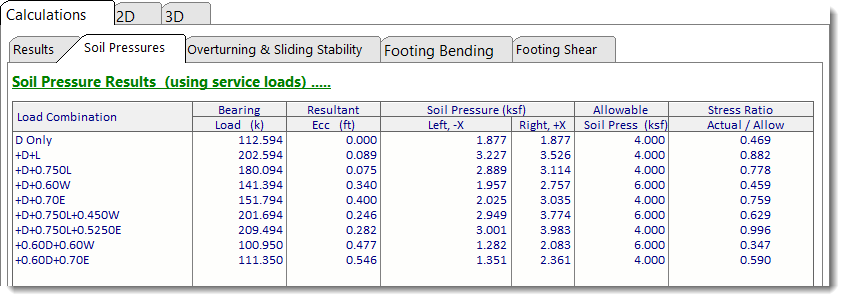
For each service load combination, this tab presents the total vertical load, the resultant eccentricity, the soil pressures on the left and the right ends of the footing, the allowable soil pressure, and the ratio of the actual to the allowable soil pressure.
Overturning & Sliding Stability
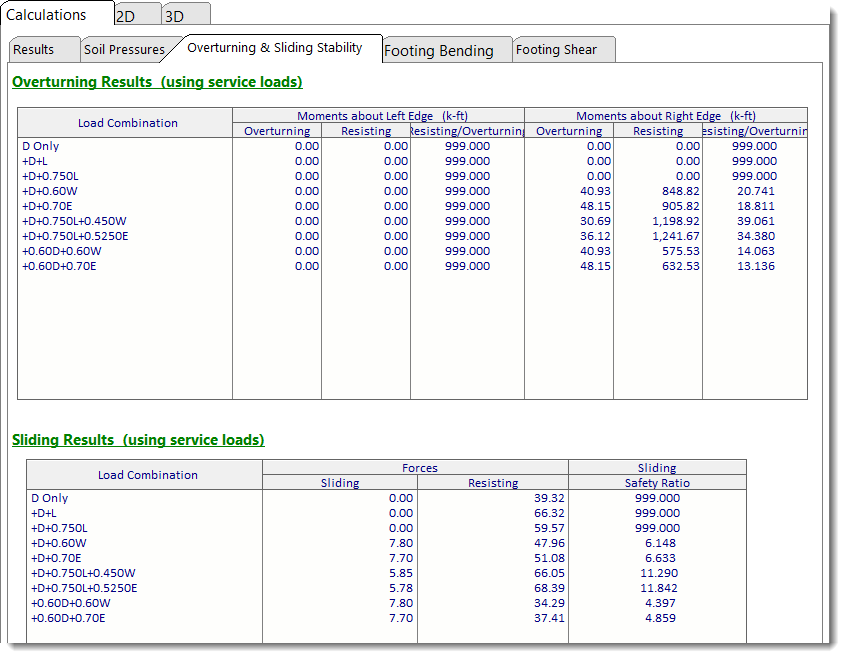
For each service load combination, this tab presents the overturning moment, the resisting moment and the ratio of the resisting to overturning moment about the left and right edges of the footing. It also reports the sliding force, the resisting force, and the ratio of the resisting to sliding force.
Note that the program is set up to look for overturning and resisting forces individually. For example, take the situation where the footing is subjected to equal and opposite shears at a given elevation. Common sense dictates that these forces cancel each other, and the footing experiences no net applied overturning moment from them. But the program treats one of the two equal and opposite forces as an overturning force, and the other as a resisting force. So for these two forces, there IS a net overturning moment reported, but the resisting moment ALSO considers the effect of the opposing load, so the accounting used to determine the overturning ratio is proper.
Footing Bending
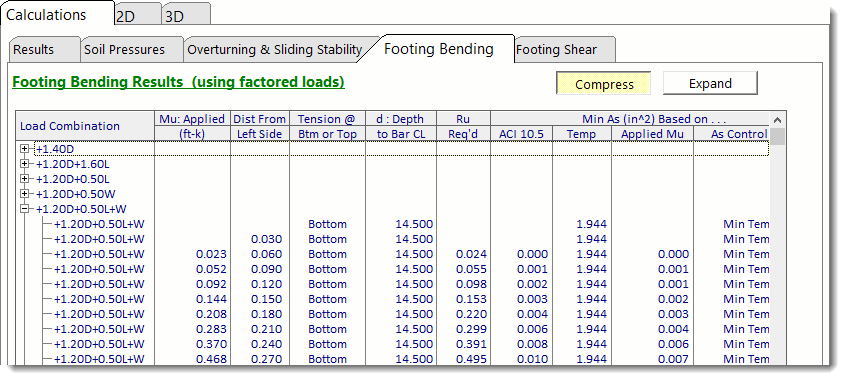
This tab reports the results of the flexural design on a load combination by load combination basis, at small increments along the length of the footing.
Footing Shear
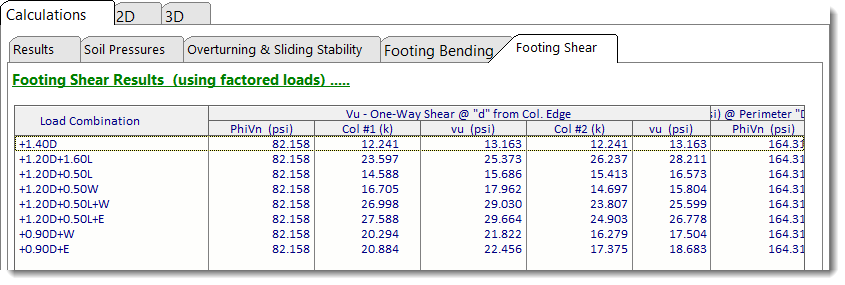
This tab reports the results of the one-way and two-way shear design on a load combination by load combination basis.
2D Sketch - Plan
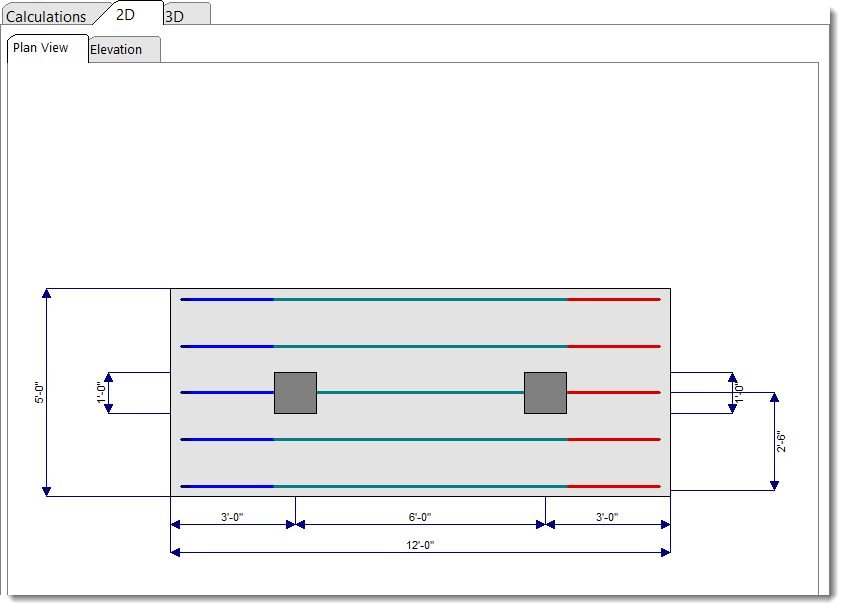
This tab provides a plan view of the footing with rebar callouts and overall dimensions.
2D Sketch - Elevation
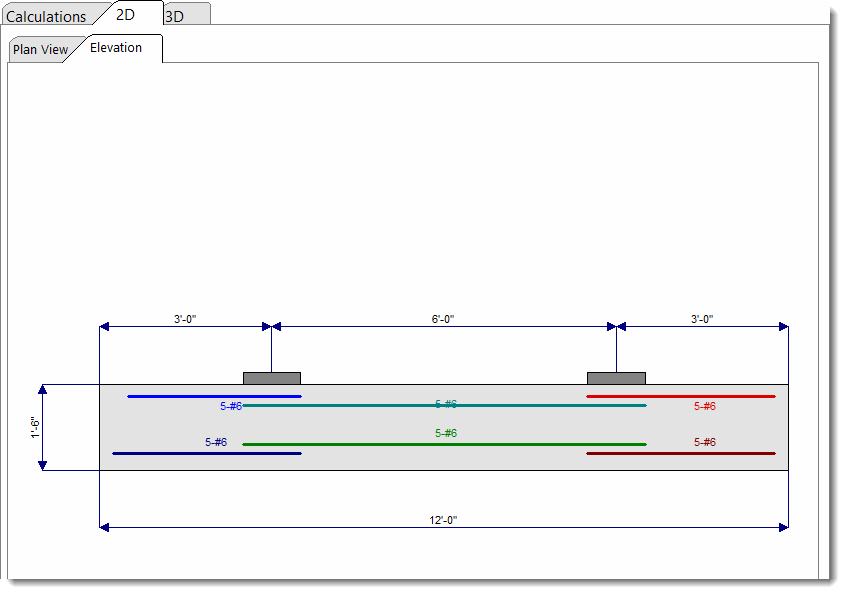
This tab provides an elevation view of the footing with rebar callouts and overall dimensions.
3D Rendering
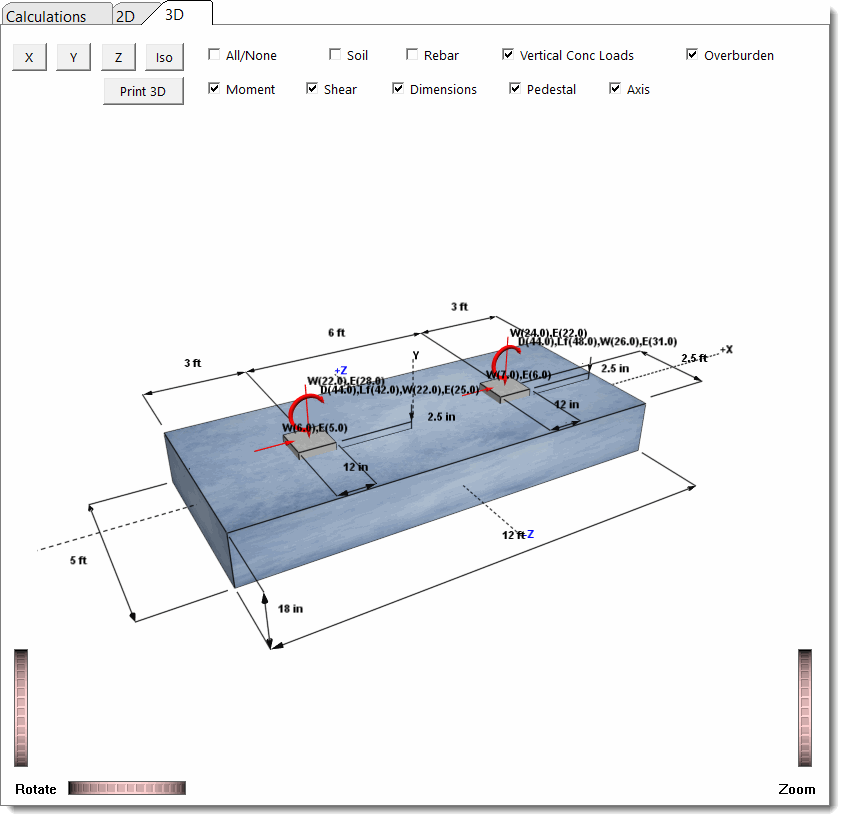
This tab provides a 3D rendering of the footing with various view options.
 <
<